Jan 10, 2005 - Fighting Fires and Fighting Fears
Volume 4, Issue 2
The weekly ezine with a road map for
sidetracked writers.
"Be better writers today
than we were yesterday."
Thought for the Week - Fighting Fires and Fighting Fears
How much of your time is spent fighting fires? For example, today I had to run my son to school when he missed the bus, create more CDs to ship out (the backup supply was gone) and make an early morning dash to the grocery store for a quick lunch.
Every one of these things is preventable (and I know better)!
One of my goals this month is to get my time-saving systems back in place -- so many of the things that make me super-efficient, like regular routines in the morning, slid off the radar over the holidays. (But I still think the bus driver was early today)!
-----
What fears are holding you back this year?
I've read lots about the fear of failure holding writers back, and thankfully, it really hasn't been a big fear of mine. But this weekend, I was listening to an audio that talked about the fear of disappointment..... hmmm.... That one really registered, and I realized there were some things I wasn't pursuing just to make sure I didn't get disappointed if for some reason they didn't work out the way I wanted.
What fear is holding you back? Is it fear of failure, fear of success, fear of disappointment, fear of too little work or even fear of too much work? Dig deep, and give yourself permission to feel the fear, but then overcome it with a detailed strategy for handling it.
We're continuing with our 30-day Get
Organized to Write plan this week. Hop on down and
start organizing your computer, your books and magazines,
your ideas and your research.
Finally, how would you like to change your environment and change your life? That's the principle behind Feng Shui, and I have to tell you I was a little skeptical at first. I remember thinking, "What difference does it make where I put things in a room?"
I'm now a convert. I could never figure out why I didn't like a traditional desk up against the wall (right now I work on my lap in my family room!), but
I learned the reason when I took the Change Your Environment teleclass. Desks work best when they are facing the door. I also switched my bedroom from blue to tans and browns (in the teleclass, blue was not considered a good color for a bedroom). And you know what? I am sleeping better than I ever did in that blue room!
If you're interested in learning more, Linda is offering the teleclass again at no charge at
http://snipurl.com/bxii
P.S. Did you miss last week's issue? Read it
athere.
Day Ten - Your Computer - Time-Buster #2 Lost Files
Is your computer a time-buster or a time-saver? One of the
biggest time wasters is lost files. If you can't remember
where you stored the file, how much time do you spend
searching for it?
I used to always lose downloaded documents, but I learned a
little secret. After you have downloaded a file, use
Start> Documents in Internet Explorer, and the file should
be listed.
The Search Assistant is another wonderful Windows tool.
Use Start > Search... > For Files or Folders to locate lost
documents.
EBOOK: Day 10. Acrobat, Ctrl+N, p. 77. Paper, p. 71.
Read solutions for the other six computer time-busters.
Day Ten Checklist
____ 1. Practice using the search function to find lost files.
____ 2. Read the other six computer time-busters.
Day Eleven - Communicate on the Web
Email... do you love it or hate it? Does it eat away at
your writing time, or do you use it to maintain your
sanity? I bet it's a little of both.
It always amazes me how I can sit down to check my email
and two hours later I'm still surfing (and not writing!).
1. One of the best suggestions is to turn off the "You
have new mail" reminder. This sound is a bit like the
telephone ringing. We don't want to ignore it.
2. Another suggestion is to invest the time in setting up
folders and filters that automatically file your messages
for you.
3. Make sure you set the From: option in your email
program. This makes sure that if your email address is
"wrt268@earthlink.net" the receiver sees a message from
"Joe Writer" instead. This is a simple way to look a bit
more professional.
For those of you with the ebook, Ctrl+N, p.85.
Learn how to manage your mailing lists, the best types of
folders to create, suggestions for deleting, and other tips
for keeping your sanity with email.
Day 11 Checklist
___ 1. Turn off "you have mail."
___ 2. Set up filters to sort your email.
___ 3. Send yourself a message, and make sure the From is adequate.
Day Twelve - Writer on the Web
Every writer needs a web site. And it needs to look
professional.
But not every writer has the mucho dinero to pay for one.
So what can you do?
Web programming is a little challenging but not impossible
to learn. If you really can't stand trying to make your
computer work, save up and have someone create it for you.
High school computer whizzes are a good option. Be sure to
include some training time so you can do future updates.
With a little investment time, you can learn how to create
your own site (maybe that should be a resolution for this
year?).
If you already have a web site, be on the lookout for ways to
improve it. I think every writer needs to learn HTML, so
we have a Mini-HTML Course each month on the 29th in the
Writer-Reminders newsletter.
Your task for today is to decide: What's up for your web
site this year?
BOOK: Day 12. Acrobat, Ctrl+N, p.85. Paper, p. 79.
1. Read about the advantages and disadvantages of the
three options for creating your web site.
2. Work through the six steps of the Web Page Primer.
Day Twelve Checklist:
___ 1. Plan your web site or the updates which will happen this year
___ 2. Work through the Web Page Primer
Day Thirteen - Books and Magazines Everywhere
Lucky number 13! What's up today? It's time to reduce
all that book and magazine clutter.
I admit it. My books and magazines are all over the house.
I tell myself this is good because my kids can see how we
value reading in our home, and because I can be in just
about any room and grab something to pass the time.
But if they turn into clutter, I've created one more drain
on my energy. So here are a few of my favorite solutions:
-- Purge your magazine collection. I don't know about
you, but I really need to eliminate some of the old and
outdated magazines I've collected. When can you schedule
this?
-- Get rid of the paper! Turn on the electronic books.
I love my ebooks. Why? Because they don't take up
space on my bookshelves. You can use the search button
and put in multiple bookmarks.
I have been using my Palm as a reading
device, and I absolutely love it. I thought I'd hate it
because there were no pages to flip, but it's so portable,
and the up and down buttons are just like flipping pages.
If you're thinking about buying one, be sure to check the
screen in the sunlight and the darkness. Mine tends to
wash out a bit.
-- Read it... and return it. Check more deeply into what
your library can provide. Did you know most libraries have
inter-library loans with other libraries across the US?
The other day, I checked out a book from halfway across the
country.
If your library isn't fantastic, check into reciprocal
programs with either colleges or nearby towns. Often you
can get library cards outside your area with these
reciprocal programs.
Don't forget the library's treasure trove of magazines
and even electronic books. I found out I can check out
the magazines at my library, and from their membership
in an elibrary, I can check out electronic books.
-- Listen up. Use audio books to fill the void in your
reading time. I listen while I do the dishes, while I'm
ironing, and a new friend of mine said she even listens
while she's buying groceries! I've listed some audio books
for writers at: http://www.organizedwriter.com/audio.htm
or you can check them out from the library, or get a
subscription at http://www.audible.com.
-- Consider elibrary.com. You can search electronic
versions of your favorite newspapers and magazines, and
then even retrieve the articles. I rarely recommend
fee-services since there are so many free resources on the
web, but this one just might be worth in the time it could
save you.
Test drive the free 7-day trial to see how much you use it.
Check out the listing of magazines and newspapers to
determine if they fit your area. If so, then it just might
be worth the $19.95 per month or $99.95 per year
subscription.
BOOK: Day 13. Acrobat, Ctrl+N, p. 94. Paper p. 88.
Learn:
-- the best way to store your books so you can find them
back;
-- how to keep track of all those books you want to read
someday; and
-- tips for storing magazines.
Day Thirteen Checklist:
___ 1. Purge magazines
___ 2. Find more ways to rid your home of paper.
Day Fourteen - Find Your Favorites
Today's task is to spend five minutes cleaning up the
Favorites menu on your computer. Delete the links to this
year's Christmas shopping excursions, and reorganize your
links to fit your Master List. Move them into folders, and
put the most used links at the top (I have my email and the
library at the top).
BOOK: Day 14. Acrobat, Ctrl+N, page 97. Paper, p. 91.
-- Learn how to set your home page in your browser.
-- Get detailed instructions on how to organize your
favorites.
-- Find out where to create a personalized newspaper.
-- Find out what to do if you work on more than one
computer and need your favorites.
-- Check out my favorite sites for writer's links.
Day 14 Checklist:
___ 1. Clean out your favorites.
The Workshop includes a huge list of creative exercises,
topics and ideas to get your juices flowing. Be sure to
check out the goal setting workshop if you are still
finalizing your plans for the year.
Which leads right into my next point -- it's January 15th,
the middle of the month. I hope most of you are still
humming along on your goals for the year. Don't give up
yet even though a lot of people already have! Be
patient and forgiving with yourself when you slide a bit,
OK?
BOOK:Day 15. Acrobat, Ctrl+N, p.102. Paper, p. 96.
-- Print a bunch of the Idea Grabber Forms. I love this
form! It saves me so much time when I'm trying to convert
my ideas into articles. It's only available in the ebook
(it's not in the planner you received when you subscribed).
-- It includes a length estimator, a fill-in-the-blank
section for developing your ideas into a full-fledged
article, and it's tied into your Master List.
Day Fifteen Checklist:
__ 1. Clean off your desk, and start sorting.
__ 2. Improve your space with a new picture, photo or calendar.
Day Sixteen - Research It!
Are you trying to find experts? Here are some suggestions
for you...
1. Go out to Amazon, and find a book written by an expert
in your area. Then go search the Internet for their site,
or find their publisher's site and go through them.
2. Definitely check out Kelly James-Enger's book, Ready,
Aim, Specialize! If you are writing about one of the
topics she covers, she includes how to find experts in each
chapter: http://www.organizedwriter.com/specialize.htm
We have so many different sources of information when doing
our research - how do you keep it all together so you can
find it back when you want it? Read about the different
solutions, and pick the one that fits the way you work.
Check out my twelve favorite research sites.
Day 16 Checklist
____ 1. Collect resources for finding experts.
____ 2. Review the resources page.
Happy writing (and organizing!) Julie
Like Organized
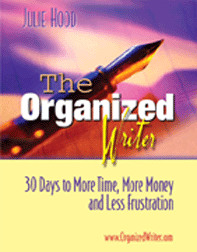
Writer.com? You'll love the ebook.....
"Julie, I love your book. I have read (or at least opened) more than a trunk load of books about writing over the years. Yours is the first I have seen that gives readers so much in one place. For me, the Master List and putting that together was more than worth the cost."
-- David Stoddard
Motivational writer, trainer and publisher of the
Terrific Life Concepts ezine.
http://djstoddard.net
M T W T F S S
_ _ _ _ _ _ _ 1. Declutter (only 5 minutes)
_ _ _ _ _ _ _ 2. Read (only 5 minutes)
_ _ _ _ _ _ _ 3. Assess (30 seconds to 5 minutes)
_ _ _ _ _ _ _ 4. Write (at least 5 minutes)
Weekly Checklist
For freelance writers: Use this weekly checklist to find, write and send a query every week of
2005!
Monday
__ Make notes on a new idea.
Tuesday: Accounting Day
__ Post your accounting records.
__ Pay bills.
__ Follow up on outstanding invoices and queries.
Wednesday
__ Find a new market using links below.
Thursday: Errand Day
__ Make copies.
__ Return books to library.
__ Make deposit at bank.
Friday
__ Finish query and submit.
__ Match your query to the market.
Saturday Weekly Review
__ How was this week?
__ What's up next week?
__ Review your Projects list in your planner and check the
status.
__ Jot the next action steps for your projects on next week's
calendar.
__ Backup your computer files.
__ Virus scan your computer.
__ Update windows software at http://windowsupdate.microsoft.com
__ Update Microsoft(R) office software at http://office.microsoft.com/officeupdate/default.aspx
Sunday
__ Relax and enjoy!
__ Do something fun today!
Thanks for visiting Writer-Reminders! If you have comments,
success stories, or suggestions, reply to this message or e-mail
me at :julie@writer-reminders.com
Your privacy is very important to me. Your email address will never be
sold by Writer-Reminders. For more on Yahoo's privacy policy, visit http://privacy.yahoo.com/privacy/us/
Copyright 2002-2005 Finally Organized LLC. All rights reserved worldwide. This
newsletter is provided with the understanding that the author is not engaged in rendering legal, accounting or other
professional services. If legal or other expert assistance is required, the services of a competent professional should be
sought.
Writer-Reminders and OrganizedWriter.com provide links to other Internet
sites solely as a convenience to its users.
Writer-Reminders and OrganizedWriter.com do not guarantee, approve or
endorse the information or products available at these sites, nor does a
link indicate any association with or endorsement by the linked site to
Writer-Reminders and
OrganizedWriter.com.