The weekly ezine with a road map for
sidetracked writers.
"Be better writers today
than we were yesterday."
Thought for the Week -
Making It Work
Don't you just love the people who take a challenge, find a solution and make it work -- even if it isn't perfect? Sometimes we have to give ourselves permission that something is good enough. It may not be perfect, but it's still good.
So this week, give it your best shot and then let it go. See if you get more accomplished this way.
We're continuing with our 30-day Get
Organized to Write plan this week. You can see the
rest of the plan at
P.S. Did you miss last week's issue? Read it
athere.
P.P.S. A special welcome to
all our new subscribers! One of my goals for 2005 was to
reach 2005 subscribers, and we did it! Thanks for joining
us on this organizing challenge.
Day Seventeen - Target Your Market
What are the five most important questions to ask when
researching a potential market?
1. Does this magazine use freelancers? You can often tell
by reading the bio paragraphs of the writers.
2. What is the writing style of the magazine? Analyze
the paragraph length, vocabulary level, etc.
3. Do I have clips to match the material in this magazine?
4. What terms (pay, timing, rights purchased, etc.) are
involved when writing for this site? Request the writer's
guidelines to find out more.
5. Which editor should I contact? Don't send your
query to the editor-in-chief. Pick someone lower on the
masthead.
BOOK: Day 17. Acrobat, Ctrl+N, p. 110. Paper, p. 104.
If the Idea Grabber is my favorite form, the Publication
Analyzer comes in a close second. Complete this form, and
your freelance queries should be right on target. Find out
what to look for when analyzing a publication, and how to
track it.
Day 17 Checklist
____ 1. Create your own list of questions to investigate a market.
Day Eighteen - Guidelines Database
Are you a freelancer looking for new markets or an author
looking for magazines to review your book? Check out this
list of online guidelines including links to agents,
publishers and markets:
http://snipurl.com/3r36
BOOK: Day 18. Acrobat, Ctrl+N, p.115. Paper, p. 109.
Create your own guidelines database. Walk through the five
different solutions, and pick the one that fits your
personality and budget.
Day 18 Checklist
___ 1. Check out the list of markets.
___ 2. Create your guidelines database.
Day Nineteen - Writer's Clips
How well do you keep track of your clips?
This can be a huge time-saver if you do it right. Here are
some suggestions:
1. Start with your planner, and print new Clips Index and
Clips Detail Sheets for 2004. The file on your computer is
called writersplanner.pdf.
2. Next, dash to the copy center, and make copies of some
of your best clips you plan to use this year (or scan and print them).
3. Now where do you keep them? One of my favorites is a
literature/ mail organizer at http://snipurl.com/3w1x
4. Then update your web site with the most current clips
(get permission first, of course).
5. Check out Angela Hoy's book, Query Letters That
Worked! Real queries that landed $2K+ writing assignments.
The book lets you peek into the files of some of the best
freelancers on the planet. You get 25 queries and
proposals and six general pitch letters plus tons of good
advice.
Each letter is carefully analyzed for what makes it work
(since you can't actually copy the queries in this book,
you can use the concepts to improve your queries). You
learn about how the article progressed from idea to
published article, and each writer's background is listed
with links to their web sites.
You also get Angela's secret to finding steady freelance
work, tips for phone queries, and the six golden rules of
queries and submissions (and how to break them).
This book is chock full of advice on how to improve your
queries -- it's a definitely must-have for freelancers.
BOOK: Day 19. Acrobat, Ctrl+N, p. 118 Paper, p. 112.
Read about the best way to store your paper clips, and how
to convert your clips to text-based so you can send email
queries.
Day 19 Checklist
___ 1. Make new planner forms.
___ 2. Get copies made.
___ 3. Get literature organizer.
___ 4. Update web site.
___ 5. Read Query Letters that Worked!
Day Twenty - Quick Queries by Mail
Here are my favorite solutions for sending snail mail:
Spend less time waiting in line at the post office.
5. Save time by dropping your queries in the mailbox
instead of standing in line at the post office!
BOOK: Day 20. Acrobat, Ctrl+N, p. 121. Paper p. 115.
Read about ways to send queries more quickly:
1. Create a Query Template.
2. Print the Query Checklist to makes sure you don't
forget anything.
3. Learn how to make four different snazzy letterhead
styles in Word.
4. Learn the difference between full block, modified block
and semi-block letter styles.
Day 20 Checklist
____ 1. Get personalized envelopes.
____ 2. Get a post scale.
____ 3. Add postage calculators to your list of online
favorites.
____ 4. Create a Query Template and print the Query
Checklists.
Day
Twenty-One - Email Queries
How professional are your email queries?
I see a couple common mistakes in the email messages I receive:
1. Using a cryptic email address like kooa1b3@juno.net. If you do use an
email address like this, check your email program to see how you set the
From name so your first and last names appear.
2. Using a family email address so your business queries come from
TimMichelleS@msn.com. Get a separate email address for your writing
business.
3. Using ineffective subject lines. Make your subject lines thoroughly
describe what you are sending.
4. Missing contact info. Include ALL your contact information, including
your regular address, your phone number, and web address. Automate using
the signature part of your email. BOOK:Day
21. Acrobat, Ctrl+N, page 127. Paper, page 121.
1. Create your Query Cheat File.
2. Create a Query Template.
Day 21 Checklist
____ 1. Improve your email queries with list above.
____ 2. Make a query cheat file.
____ 3. Make a query template.
Day
Twenty-Two - Track Your Submissions
When did you contact that editor? What did you send them?
When should you follow-up?
Add just a couple rules to your life and all this
frustration can be eliminated.
1. Every time you send a query, list it on the Submission
Tracker form that came with your planner. Assign it a
number.
2. Pick a follow up date, and list it on your calendar as
"Follow up on query #12." When that date shows up, all the
details are listed on the Submission Tracker form.
BOOK: Day
22. Acrobat, Ctrl+N, page 130. Paper, page 124.
1. Find out about three other electronic solutions for
tracking your submissions.
2. Find out what a tickler is and how to set it up.
3. Get a sample letter for removing an article from
consideration.
Day 22 Checklist
___ 1. Determine how you will track your submissions.
___ 2. Set up your tickler system.
Day
Twenty-Three - The Perfect Manuscript
How readable are your manuscripts? Did you know
Microsoft(TM) Word can give you a summary of your
readability?
It's a bit of a challenge to find it, but here's how in
Word 2000:
1. Click on Tools > Options.
2. Select the Spelling and Grammar tab.
3. Select "Show readability statistics" at the bottom.
4. Then run the Spelling and Grammar checker with either
F7 or Tools > Spelling and Grammar... Your readability
statistics should be listed at the bottom.
Run your essays through the readability option to get an estimated grade
level for your writing. It also lists word count, character count,
number of paragraphs, number of
sentences, and average lengths.
If these instructions do not work for your version of Word, go to help
and search for "readability".
BOOK:
Day 23. Acrobat p. 134, Paper p. 128.
1. Print a proofreading checklist for each manuscript.
2. Learn how to create a manuscript template.
3. Find out what you should do to keep an editor happy.
Day 23 Checklist
____ 1. Check your manuscripts for readability.
____ 2. Register any copyrights.
____ 3. Print proofreading checklists.
Day
Twenty-Four - Show Me the Money
Today it's time to invest some time in your accounting
system! I know what you're thinking....paying bills,
sending invoices, reconciling statements... I'm a writer,
do I really have to do all those left-brain, business-y
tasks? Yes, but I promise to try to make it as painless as
possible!
First, determine how you are going to keep track of all
this stuff -- paper or electronic? If you're going to use
paper, you've got an Income and Expense Records form in
your planner. If you buy my book, you get three forms,
Expense Records, Credit Card Payments, and Income and
Deposit Records.
I prefer electronic and bought Quicken Home and Business
because it can send customized invoices.
(They've since changed the name to Quicken 2005 Premier
Home and Business). Here's the link to purchase it: http://snipurl.com/c458
You may also want to check out Microsoft Money 2005 Small Business at http://snipurl.com/c45a
Do you file your bills by type (credit card bills
all
together, bank statements in one file, etc.)? This is too
time-consuming! I prefer to file by month. Everything
that happens in January goes in the January folder. All
the receipts are in their own envelope in that folder. I
can always determine what month a transaction occurred, and
then find the paper in that month.
Set up 12 folders - one for each month of 2004 (in the
book, print page 171 for a hanging folder label for each
month of the year). Now you have an easy place to file all
your receipts, bill and statements.
The last trick is to make sure you stay on top of posting
and reconciling. It's so easy to push this off when you
get busy. I know I'd rather write! The weekly checklist
below will help you remember, or set aside one day a month
to deal with all these accounting tasks.
If you aren't worn out yet, put together your Spending Plan
for 2005 (doesn't Spending Plan sound much better than
budget?). Make a column for each month of the year,
estimate what your expenses are for each month, and
determine the minimum number of books or articles you need
to sell to break even. Then estimate how many you need for
the income level you want. Don't forget your taxes!
BOOK:
Day 24. Acrobat, Ctrl+N, p. 140. Paper, p. 134.
Read about quick and easy accounting rules for writers:
1. Learn the first thing you need to do to make it easier
to do the accounting for your writing business.
2. Learn how to send professional invoices.
3. Determine what you need to track for taxes.
4. Review the eight questions to ask a potential
accountant.
Day 24 Checklist
____ 1. Set up your accounting system.
____ 2. Create your 12-months of folders.
____ 3. Create your spending plan for the year.
____ 4. Complete monthly accounting tasks.
Happy writing (and organizing!) Julie
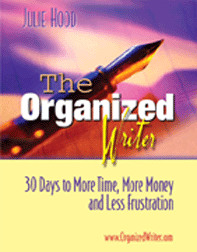
Like Organized
Writer.com? You'll love the ebook.....
"Julie, I love your book. I have read (or at least opened) more than a trunk load of books about writing over the years. Yours is the first I have seen that gives readers so much in one place. For me, the Master List and putting that together was more than worth the cost."
-- David Stoddard
Motivational writer, trainer and publisher of the
Terrific Life Concepts ezine.
http://djstoddard.net
M T W T F S S
_ _ _ _ _ _ _ 1. Declutter (only 5 minutes)
_ _ _ _ _ _ _ 2. Read (only 5 minutes)
_ _ _ _ _ _ _ 3. Assess (30 seconds to 5 minutes)
_ _ _ _ _ _ _ 4. Write (at least 5 minutes)
Weekly Checklist
For freelance writers: Use this weekly checklist to find, write and send a query every week of
2005!
Monday
__ Make notes on a new idea.
Tuesday: Accounting Day
__ Post your accounting records.
__ Pay bills.
__ Follow up on outstanding invoices and queries.
Wednesday
__ Find a new market using links below.
Thursday: Errand Day
__ Make copies.
__ Return books to library.
__ Make deposit at bank.
Friday
__ Finish query and submit.
__ Match your query to the market.
Saturday Weekly Review
__ How was this week?
__ What's up next week?
__ Review your Projects list in your planner and check the
status.
__ Jot the next action steps for your projects on next week's
calendar.
__ Backup your computer files.
__ Virus scan your computer.
__ Update windows software at http://windowsupdate.microsoft.com
__ Update Microsoft(R) office software at http://office.microsoft.com/officeupdate/default.aspx
Sunday
__ Relax and enjoy!
__ Do something fun today!
Thanks for visiting Writer-Reminders! If you have comments,
success stories, or suggestions, reply to this message or e-mail
me at :julie@writer-reminders.com
Your privacy is very important to me. Your email address will never be
sold by Writer-Reminders. For more on Yahoo's privacy policy, visit http://privacy.yahoo.com/privacy/us/
Copyright 2002-2005 Finally Organized LLC. All rights reserved worldwide. This
newsletter is provided with the understanding that the author is not engaged in rendering legal, accounting or other
professional services. If legal or other expert assistance is required, the services of a competent professional should be
sought.
Writer-Reminders and OrganizedWriter.com provide links to other Internet
sites solely as a convenience to its users.
Writer-Reminders and OrganizedWriter.com do not guarantee, approve or
endorse the information or products available at these sites, nor does a
link indicate any association with or endorsement by the linked site to
Writer-Reminders and
OrganizedWriter.com.